Mundrabeli Capabilities: Classification and Structured Review

This page describes the specific functions available within the Mundrabeli system — how information is classified, how it can be reviewed, and how the access and enquiry process works in practice.

How the System Processes Information

From ingestion to review, four stages define how Mundrabeli handles the information it organises.

Ingestion and Initial Parsing

Information enters the system through defined input channels. At this stage, the system reads the structure and format of each item and identifies the fields that will be used for classification. Items that do not match any recognised format are flagged for manual review rather than silently discarded.

Category Assignment

Each item is compared against the platform's category model. The system selects the most specific applicable category and assigns the item to it. When an item could plausibly belong to more than one category, the assignment rules favour the more specific classification over the broader one.

Organisation into Structured Views

Classified items are presented within structured views based on their category membership. The view for each category defines which fields are shown by default, which are available on expansion, and in what order records are initially sorted. These view definitions are part of the platform configuration and remain consistent across sessions.

Navigation and Review

Users navigate the category hierarchy to find the view they need, then apply filters or sorting within that view to locate specific records. Selecting a record opens a detail panel displaying the full set of available fields. From the detail panel, users can note, export, or act on a record depending on the permissions associated with their access level.

Specific Capabilities in Detail

Each capability described below reflects a function that is part of the Mundrabeli system's intended design. These are explanations of the system's approach, not guarantees of specific behaviour.

Information Classification Engine

The classification engine is the core of the Mundrabeli system. It applies the platform's category model to each incoming item and assigns it a position in the category hierarchy. The engine is rule-based: its decisions follow a defined set of criteria rather than varying unpredictably between sessions.

Users benefit from this consistency because they can rely on finding the same type of item in the same category each time they look. The classification model is maintained by the platform operators and is updated when the domain it covers changes in ways that require a structural response.
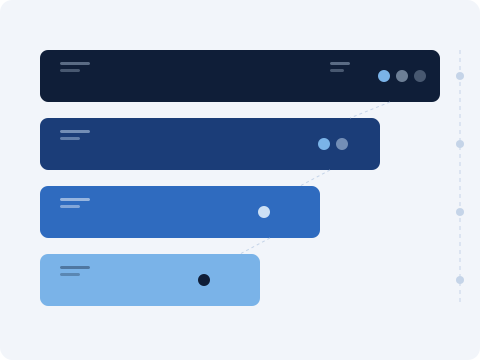

Visual representation of layered information classification in the Mundrabeli system

Structured Review Interface

The review interface is the part of the platform that users interact with directly. It is built around the idea that navigating organised information should require as little effort as possible. The left-side category panel lets users locate the right classification level; the main view area displays the records at that level in a consistent, sortable format.

Filtering controls allow users to narrow a view by field values without changing the underlying category. This means that a user can apply a temporary filter to focus on a subset of records, then remove it to return to the full view without having to navigate back to the same position in the category hierarchy.

Schematic of the Mundrabeli structured review interface showing category panel and record view area

Enquiry Logging and Routing

When a user submits an enquiry through the contact channel, it is logged and assigned a category based on the type selected in the form. The support team receives each enquiry, reviews its content, and routes it to the appropriate area for a response.

Logged enquiries are retained for the duration needed to respond and to maintain an accurate record of support interactions. Users are not currently provided with a self-service portal for reviewing their submitted enquiries, but they can follow up by contacting the support team directly using the reference details provided on submission.

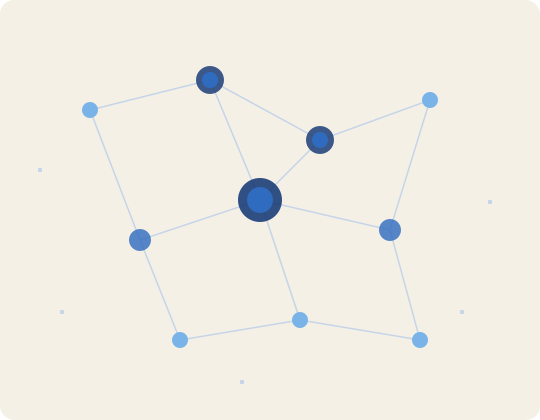
Abstract node diagram representing the Mundrabeli enquiry routing and classification structure

Access Levels and Permissions

Mundrabeli uses an access level model to control what each user can see and do within the platform. Access levels are associated with user accounts and determine which categories are visible, which fields are displayed, and which actions are available from the detail panel.

Access levels are assigned as part of the onboarding process following a confirmed access request. They can be reviewed and adjusted by contacting the support team if the original level no longer suits the user's needs. The platform does not expose the technical details of the permission model to end users, but the support team can describe what a given level includes.

How to Request Access

Access to Mundrabeli is handled through the enquiries channel. Here is what to expect from the process.

Submit an Enquiry

Use the contact form on the Enquiries page. Select "Access Request" as the request type and describe what you are hoping to do with the platform.

Team Review

The support team reviews each access request. They may contact you to clarify your use case or confirm details before proceeding.

Access Level Assignment

If access is confirmed, the team assigns an appropriate access level to your account and provides details of what it includes.

Onboarding Confirmation

You receive confirmation that your account is ready, along with any guidance needed to begin navigating the system effectively.